|
Security |
  
|
|
Security |
|
Configure the security-related settings here.
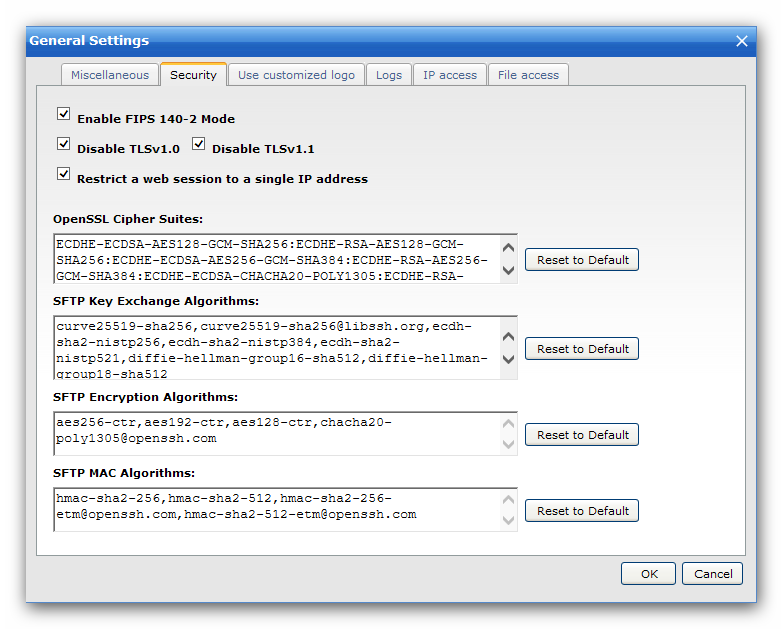
FIPS-140 Mode
OpenSSL features FIPS 140-2 and FIPS 140-3 validated cryptographic modules, you can enable FIPS 140-2/140-3 or disable it.
Disable TLSv1.0 / TLSv1.1
It is recommended to disable support for these outdated TLS/SSL versions.
Restrict a web session to a single IP address
This option is enabled by default, it will restrict a web session to a single IP address when the client IP changes, the web session will also expire. When the client IP changes frequently, you may consider to disable it.
OpenSSL Cipher Suites
You can use the customized OpenSSL ciphers to configure the Cipher Suite that is permitted to negotiate in the SSL handshake phase by the client. You usually just need to use the default OpenSSL ciphers.
If you need a strong cipher suites, maybe you can have a look at this KB article: https://bbs.wftpserver.com/viewtopic.php?f=5&t=2936
SFTP Key Exchange Algorithms
The allowed SFTP Key Exchange Algorithms.
SFTP Encryption Algorithms
The allowed SFTP Encryption Algorithms.
SFTP MAC Algorithms
The allowed SFTP MAC Algorithms.
SFTP Host Key Algorithms
The allowed SFTP Host Key Algorithms.